
Sample .NET application
See a .NET sample application on GitHub →
This is a C#/.NET load generator that connects to a CrateDB cluster over the PostgreSQL wire protocol and runs a configurable mix of queries against German climate and region data. It assumes you have already loaded the data in the "Import Data" step.
The single application class is Program.cs.
The Program.cs class
Here is what the class does:
- Opens a Npgsql connection to a CrateDB cluster.
- Prints the cluster name (
SELECT name FROM sys.cluster) as a connectivity smoke test. - Pre-loads reference data from the database (only for query types that will be run):
- WKT queries: loads every distinct
geo_locationand timestamp fromdemo.climate_data. - REGION queries: loads every
region_namefromdemo.german_regions.
- WKT queries: loads every distinct
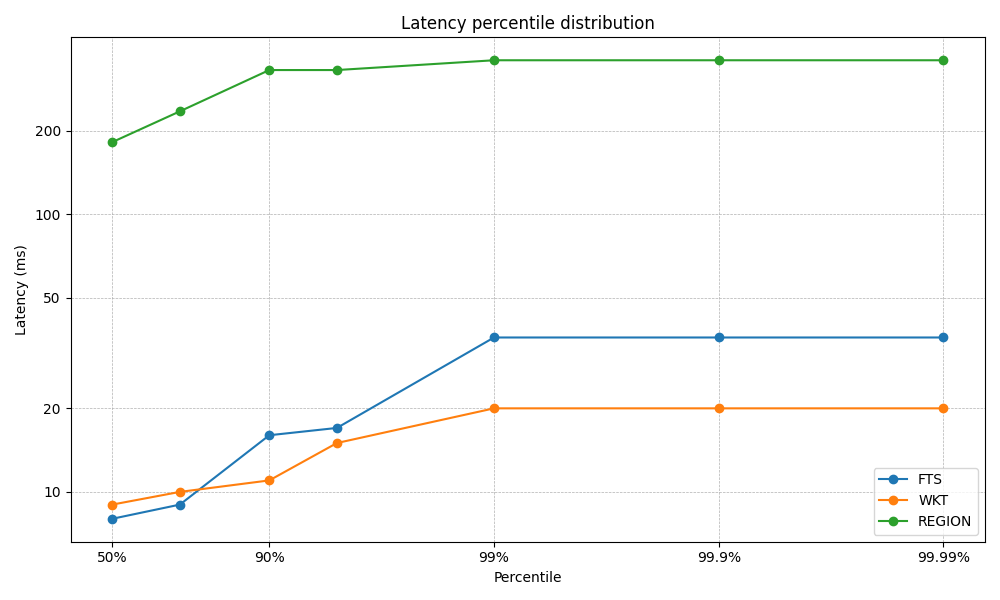
- Runs a workload of queries at a configurable rate, choosing from three query types:
- WKT — geo-proximity query: finds min/max temperature within 1 metre of a random point at a random timestamp.
- REGION — three-table join: finds the latest temperature readings for every sensor location inside a named German region, converting Kelvin to Celsius.
- FTS — full-text search: searches the economics column of demo.german_regions using CrateDB's MATCH predicate and returns the top 3 results by relevance score.
- Records the round-trip latency of each query in an HdrHistogram and prints percentile summaries when the run finishes.